
Not every customer wants a PDF. A shop counter needs paper in hand, and the paper it needs is a narrow till roll, not an A4 sheet. InvoiceKaro prints both.
Two formats
| Format | Best for | Paper |
|---|---|---|
| Tax invoice | Business customers, GST records, email and filing | A4 |
| Receipt | Handing to someone at the counter | 58mm or 80mm thermal roll |
Printing an invoice
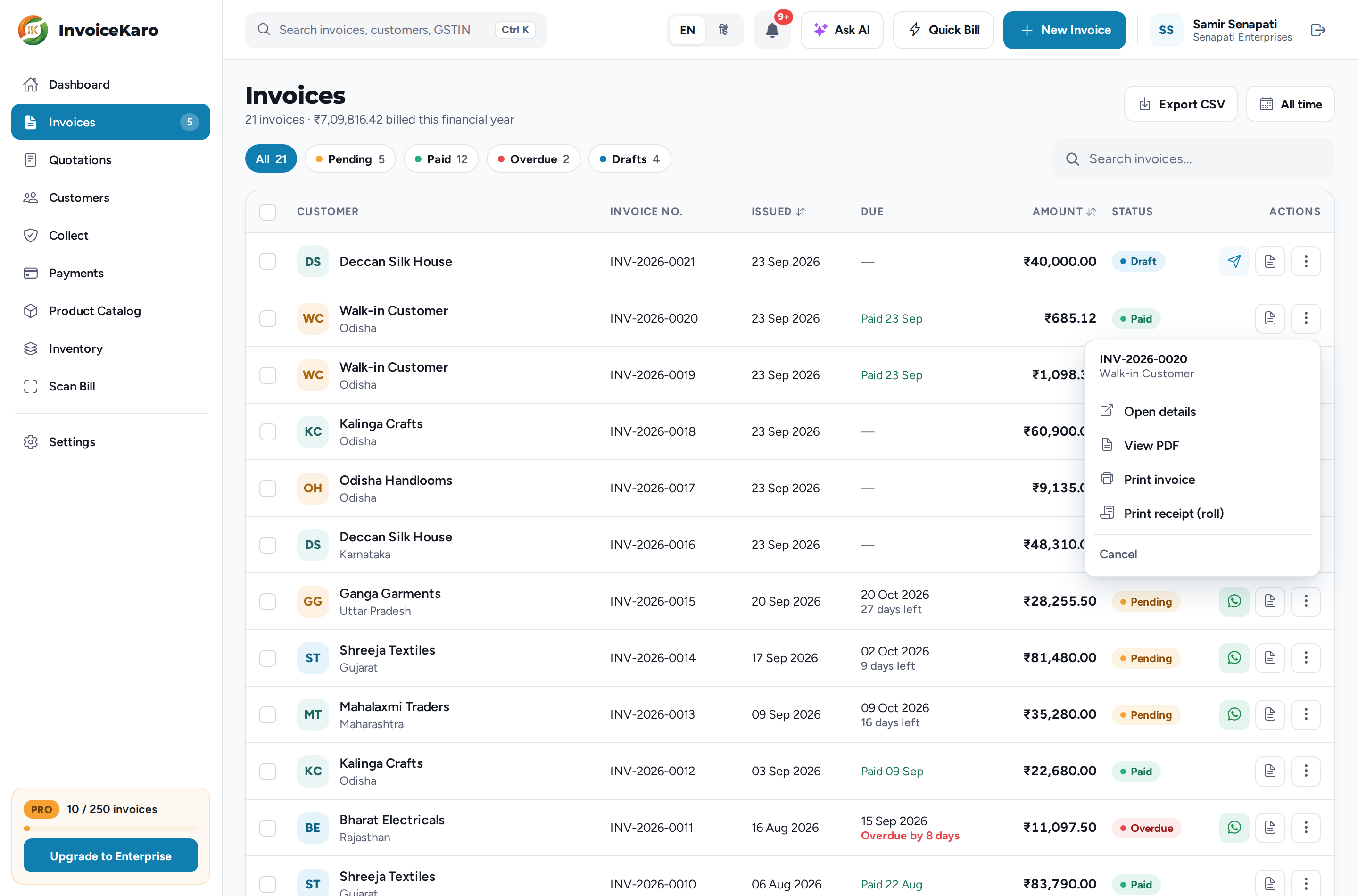
- 1Find the invoice — In Invoices, open the ⋯ menu on its row (on a phone, press and hold the card), or open the invoice itself.
- 2Choose the format — Print invoice gives the A4 invoice; Print receipt (roll) gives the thermal receipt. On the open invoice, use the Print or Receipt button where it's shown, or its ⋯ menu.
- 3Pick your roll width — For a receipt, choose 80mm (standard) or 58mm (small) to match the paper in your printer.
You can also print straight after saving: the Draft saved window has Print and Print receipt (roll). On a quick bill, Save & print saves the sale and goes straight to the roll-width choice.
Printing while offline
For a locally saved bill, open Settings → Offline billing (on a phone, More → Settings → Offline billing) and choose Print offline copy. It uses the browser's print window and is marked OFFLINE COPY and not a tax invoice, with a local reference. Allow pop-ups if prompted. After sync, use Open invoice and its usual print actions for the final invoice. The offline copy is a separate plain layout, not the 58mm/80mm receipt choice. See Offline billing.
Receipt width
Thermal rolls come in two common sizes. 80mm is the usual desktop till printer; 58mm is the narrow roll used by handheld and Bluetooth printers. Picking the wrong one gives you cut-off text or a wastefully narrow column, so check the roll before your first print.
Connecting a printer
InvoiceKaro uses your browser or device's print system. Your printer needs a compatible driver or print service and must appear in that system's print window; you can also choose Save as PDF where supported. Depending on your browser, the print dialog opens straight away or the PDF opens in a new tab for you to print from. If the browser blocks the new tab, InvoiceKaro offers Open PDF instead.
- Android: use the printer maker's compatible print service, or Mopria if the printer supports it. Confirm the printer appears in the print dialog.
- Windows / macOS: install the printer's driver and test from the browser, including your paper size and margins.
- Bluetooth till printers: pairing alone may not add a printer to the print dialog. Check the maker's print-service support and run a test print before relying on it.