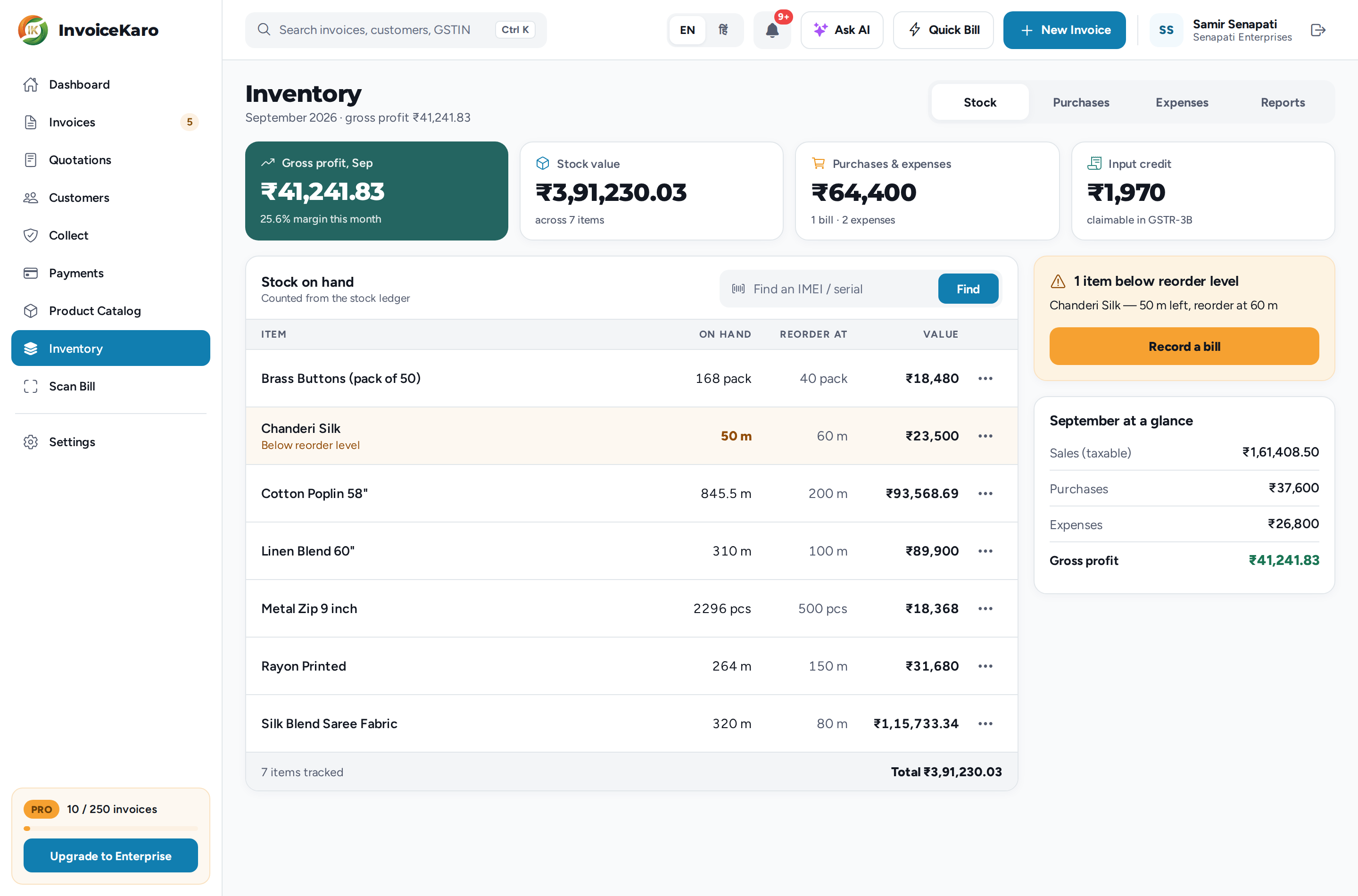
How InvoiceKaro tracks what you hold, what it cost you and what you actually made, built on a stock ledger that is never edited. Where Inventory, Product Catalog and Quotations live on a computer and on a phone.
On this page
If you sell goods rather than only your time, InvoiceKaro can track what you hold, what it cost you, and what you actually made on it. All of this is optional. You switch it on item by item, and nothing changes for the items you leave alone.
Phone navigation
The updated phone layout uses Home, Invoices, Customers and More, whether or not a business type is selected. Your role controls which areas you can open. Use More → Settings for settings and More for Payments, Projects and other permitted tools. Older installed releases may still show five or six tabs, including Profile; changing a business type does not update an installed app.
Every movement of stock is written to a ledger: a list of every time something came in or went out, with the reason. Your stock on hand is the sum of that list. Nothing in it is ever edited or deleted. A correction is a new entry. That's why the count can always be explained, and why a disputed number can be traced instead of argued about.
Choose what to track
Stock tracking starts off. Turn it on for items you count; recording a linked purchase bill or adding serials also enables it. Leave services and other uncounted items untracked.
Product Catalog in the left menu or More → Product Catalog
More → Product Catalog
Quotations
Quotations in the left menu or More → Quotations
More → Quotations
Quick Bill
More → Quick Bill, or the top-bar shortcut in Retail/Both and the existing layout
More → Quick Bill, or the floating shortcut in Retail/Both and the existing layout
Inventory has four tabs along the top: Stock, Purchases, Expenses and Reports. You only see the tabs your role allows. Expenses is for the owner and an admin, and Reports is for the owner only.
A short count does not block a valid sale. If the count says 3 and you're billing 5, InvoiceKaro warns you and allows the sale. Required fields and valid quantities still have to pass the invoice checks.
Buying stock is not an expense. It moves money into inventory and only becomes a cost when the stock sells. That's what stops a restocking month from looking like a loss.
Important
Cost prices, average cost, profit and stock valuation are owner-only. A staff member can record a bill and check a count without ever seeing what any of it is worth. See Who can see what.
Note
When billing offline, you use the catalogue last saved on that device. Live stock checks and stock movements wait for a connection. See Offline billing before using it at the counter.