
An invoice line only moves stock if it knows which item it refers to. Pick the item from your catalogue instead of typing the name, and the rest follows automatically.
Link a line to an item
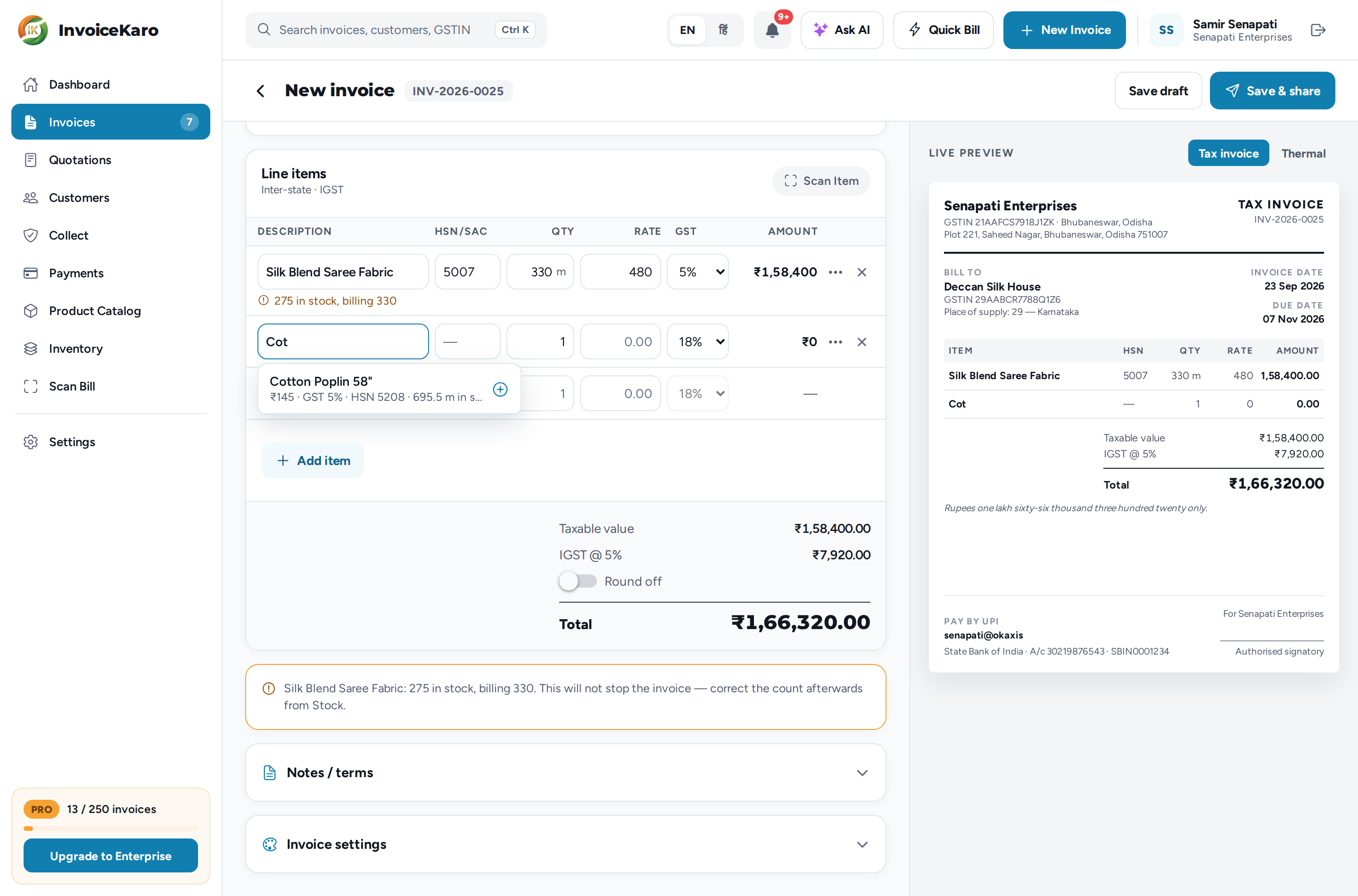
Open a new invoice (New Invoice in the top bar, or Invoice on the floating button on a phone). Under Line items, start typing in Start typing an item…. Matching catalogue items appear with the price this customer pays, the GST rate, the HSN code and how many you have in stock. Click one to link the line: its rate, GST rate, unit and HSN/SAC fill in.
Stock moves when you issue, not before
A draft doesn't change stock. The count changes when the invoice is issued after successful invoice or pay-link delivery by email or SMS, when you use Mark as sent after handing over the printout or sharing the PDF yourself, or when a Quick Bill sale completes. A WhatsApp alert alone does not issue a draft or deduct stock. Re-sending an issued invoice does not reduce stock twice. See Sending invoices & reminders.
What you're warned about
| Warning | What it means | Does it stop the invoice? |
|---|---|---|
| 3 in stock, billing 5 under the line | You're selling more than the count says you hold. | No. A note says it won't stop the invoice. It goes out, and the count goes negative, flagged for correction. |
| …has no cost price recorded | This item has never been costed, so the sale would show as pure profit. | No. But set a cost on the item, or record the purchase bill that brought it in, or your profit figures will be wrong. |
Serial-tracked items
For an item that has an IMEI or serial for each unit, a line has an extra IMEI / serial numbers field. On a computer it's in the line's ⋯ options. On a phone, tap the line. Enter the serials, separated by commas. See Serial numbers.
What gets recorded
When the server issues the invoice, InvoiceKaro records the item's current average cost against that sale. Later purchases do not change that saved cost. For an offline cash sale, the cost is captured during sync, so it may differ from the cost shown when the device went offline.
Cancelling an invoice
For an issued invoice with no recorded payment or return, Cancel invoice in its ⋯ menu reverses stock at the original recorded cost. Units linked to that sale return to stock too. An invoice with payments or recorded returns cannot be cancelled this way. For goods coming back after a sale, record a return.