
InvoiceKaro calculates gross and net profit from recorded sales, stock costs, returns and expenses. The figures depend on those records being complete and accurate; they are not your bank balance or a complete set of accounts.
Record an expense
- 1Open Inventory → Expenses and click Record an expense.
- 2Pick a Category: Rent, Salaries, Utilities, Transport, Supplies, Marketing, Fees & charges, Repairs, Taxes or Other.
- 3Enter the Amount (₹, before GST) and any GST paid (₹).
- 4Fill in What was it for, the Date and, optionally, the Bill / reference no.
- 5Click Save expense.
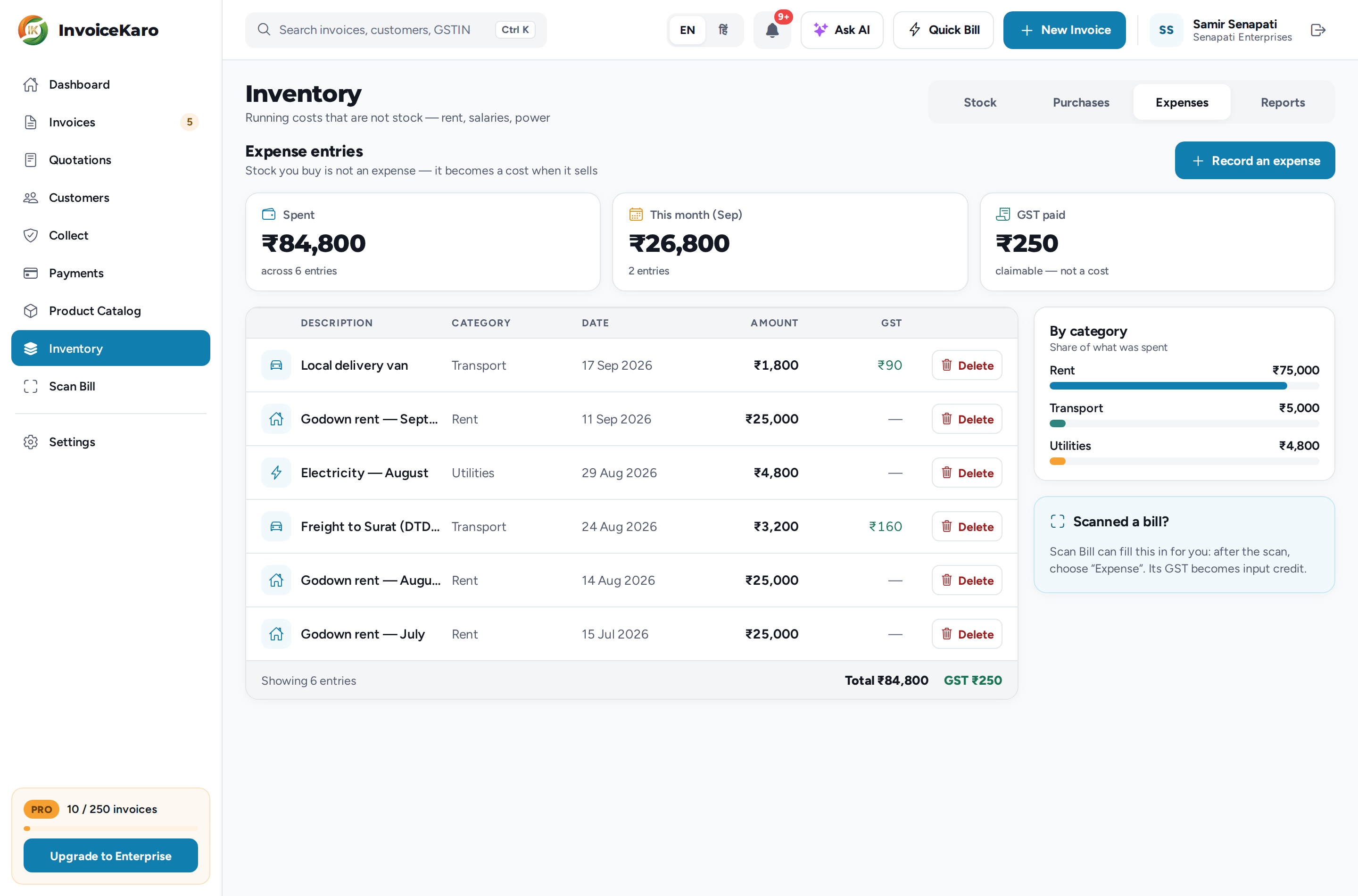
The Expenses tab shows what you've Spent, what you spent This month and the GST paid, a list of every entry and a By category breakdown. Delete removes an entry, and it stops counting against profit.
The Reports tab
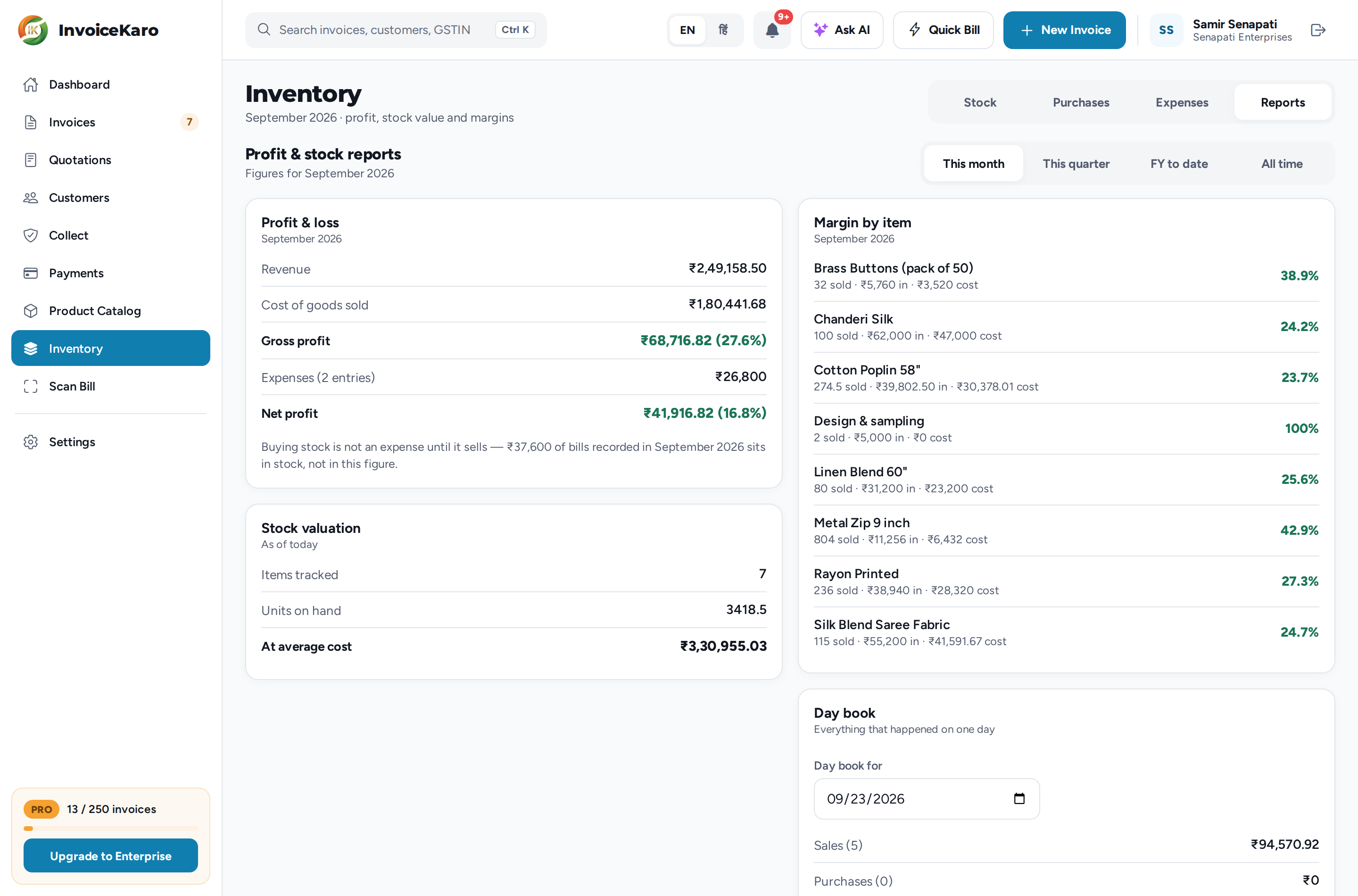
Open Inventory → Reports and pick a period: This month, This quarter, FY to date (the financial year from 1 April) or All time. Only the owner sees this tab.
Profit & loss
| Line | What it is |
|---|---|
| Revenue | What you billed, minus anything refunded. GST collected isn't yours, so it isn't counted. |
| Cost of goods sold | What the items you sold actually cost you, recorded at the moment each sale was issued. |
| Gross profit | Revenue minus cost of goods sold: the money you made on trade, with its margin %. |
| Expenses | Rent, salaries and everything else that isn't stock. |
| Net profit | Gross profit minus the expenses recorded for the period. |
Under the figures, a note tells you how much of what you spent on purchase bills in the period is sitting in stock rather than in this profit.
The other reports
The Stock tab gives the owner a quick version too: this month's gross profit, stock value, purchases, expenses and recorded input GST, plus a month at a glance card. Unsynced offline sales appear only after syncing; refresh the reports before reviewing them.
Who can see what
Money you charge is ordinary business data. Money you paid is not. Cost price, average cost, cost of goods sold, margin, stock valuation and the whole profit report are owner-only.
| Role | Stock counts | Record bills | Expenses | Costs & profit |
|---|---|---|---|---|
| Owner | Yes | Yes | Yes | Yes |
| Admin (bookkeeper) | Yes | Yes | Yes | No |
| Manager | Yes | Yes | No | No |
| Staff | View only | Yes | No | No |
| Viewer | View only | No | No | No |