
Every issued invoice can have a secure pay link (invoicekaro.com/pay/…) that opens its pay page. Share it wherever you talk to your customer, and revoke it whenever you need to. The page always shows the invoice's current balance.
Copy a pay link
- 1Open Invoices: in the left menu on a computer, or the bottom tab on a phone.
- 2Click ⋯ on the invoice's row and choose Copy pay link. On a phone, press and hold the card for the same menu. You can also open the invoice and click Pay link.
- 3Pay link copied confirms it and says when it expires. Paste the link into WhatsApp, an email or a text message.
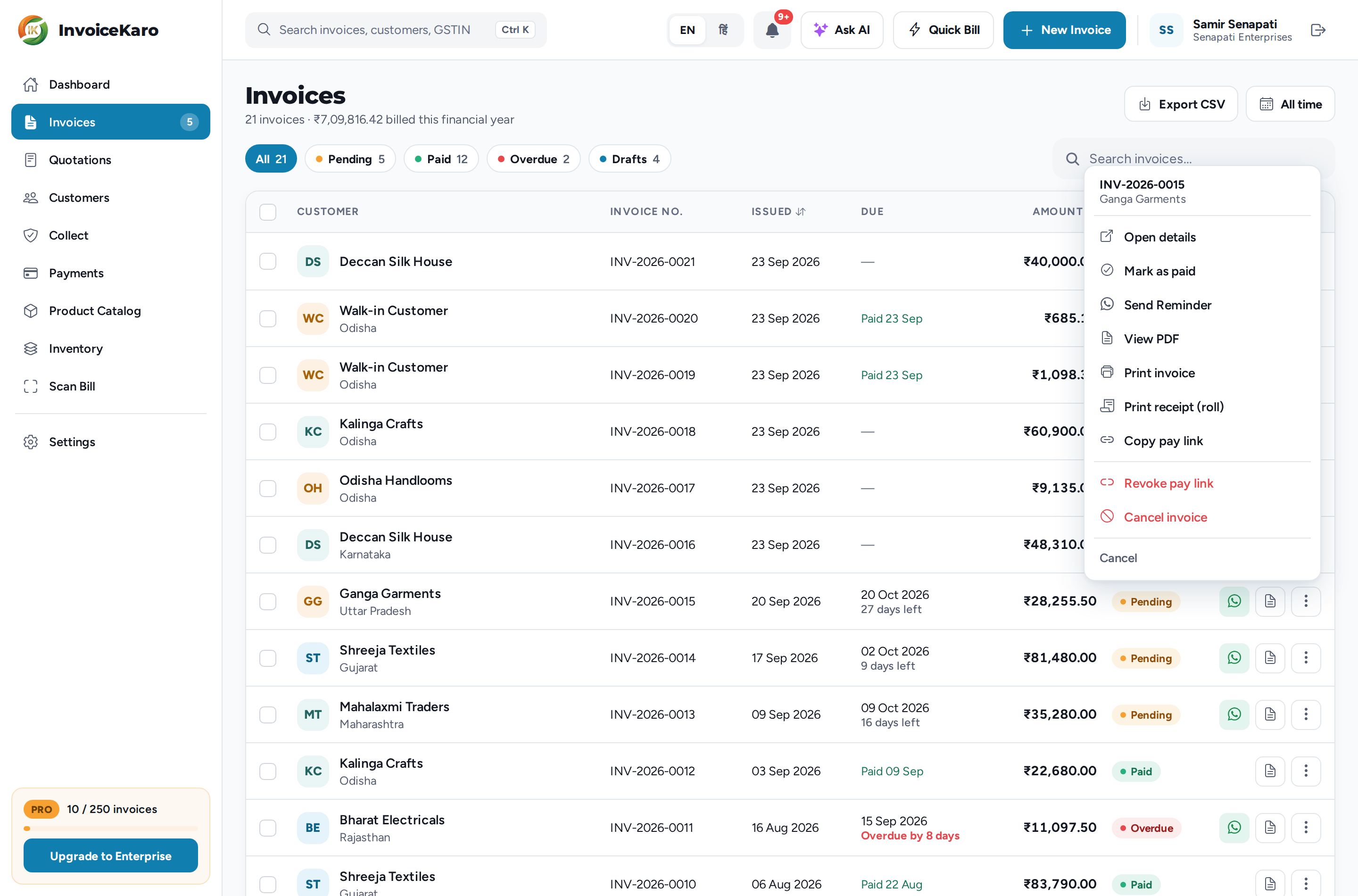
Copy pay link appears only on an issued invoice that still has a balance due. A draft gets one once you send it or mark it as sent. A paid or cancelled invoice has nothing left to collect.
How long a link lasts
The default lifetime is 30 days; check the expiry shown in Pay link copied. Copying again creates a fresh expiry, and your earlier links keep working until they expire or you revoke them. Each email or SMS that InvoiceKaro sends carries a fresh link of its own.
Revoke a pay link
Revoke when a link went to the wrong person or you want to turn off access to that pay page. This does not block a transfer using bank details or a UPI ID the customer has already saved.
- 1Open the invoice's ⋯ menu and choose Revoke pay link.
- 2In Revoke pay link?, click Revoke.
- 3Pay link revoked: every link made for that invoice so far stops working at once, including the ones in messages you've already sent.
The invoice itself doesn't change: it's still issued and still owed. To share it again, choose Copy pay link. The new link works, and the old ones stay off.
When a link doesn't work
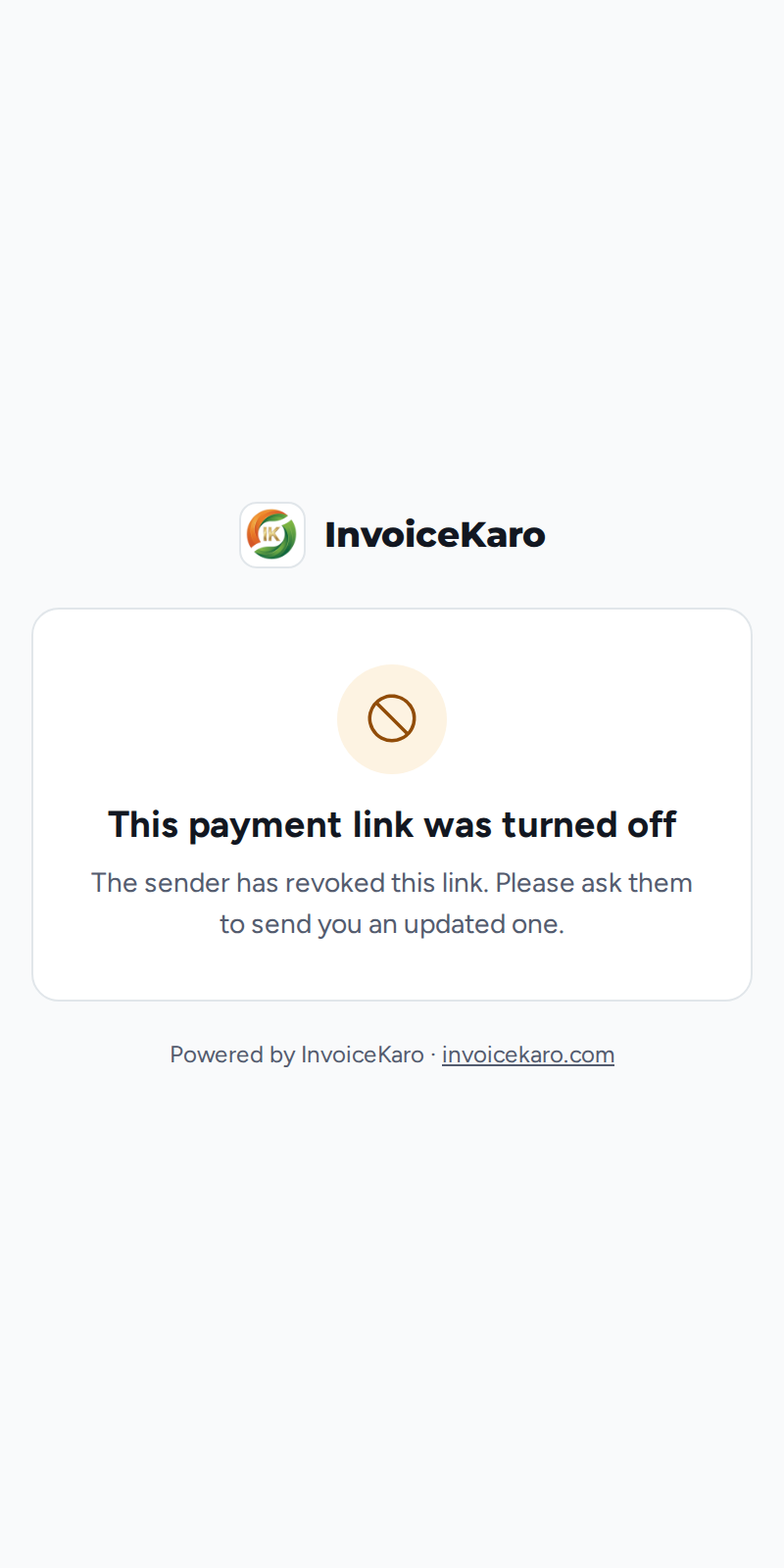
Your customer sees a short InvoiceKaro page instead of the invoice. None of your invoice or payment details are shown.
| Why | What your customer sees |
|---|---|
| You revoked it | This payment link was turned off, asking them to get an updated link from you. |
| It has passed its expiry, or the invoice was cancelled | This payment link has expired, asking them to get a new link from you. |
| The link was cut short or mistyped | This link isn't working, asking them to open the full link from your message. |
Pay link or portal link?
A pay link covers one invoice. A customer's portal link (Copy portal link in their details in Customers) shows their whole account with you: the total Outstanding, and their invoices with what's still due on each. The portal has no payment buttons, so to collect, send the invoice's pay link. Portal links default to 60 days; check the expiry shown when you copy one, and Revoke portal links turns them all off at once.